

Anthropic (Claude)
Overview
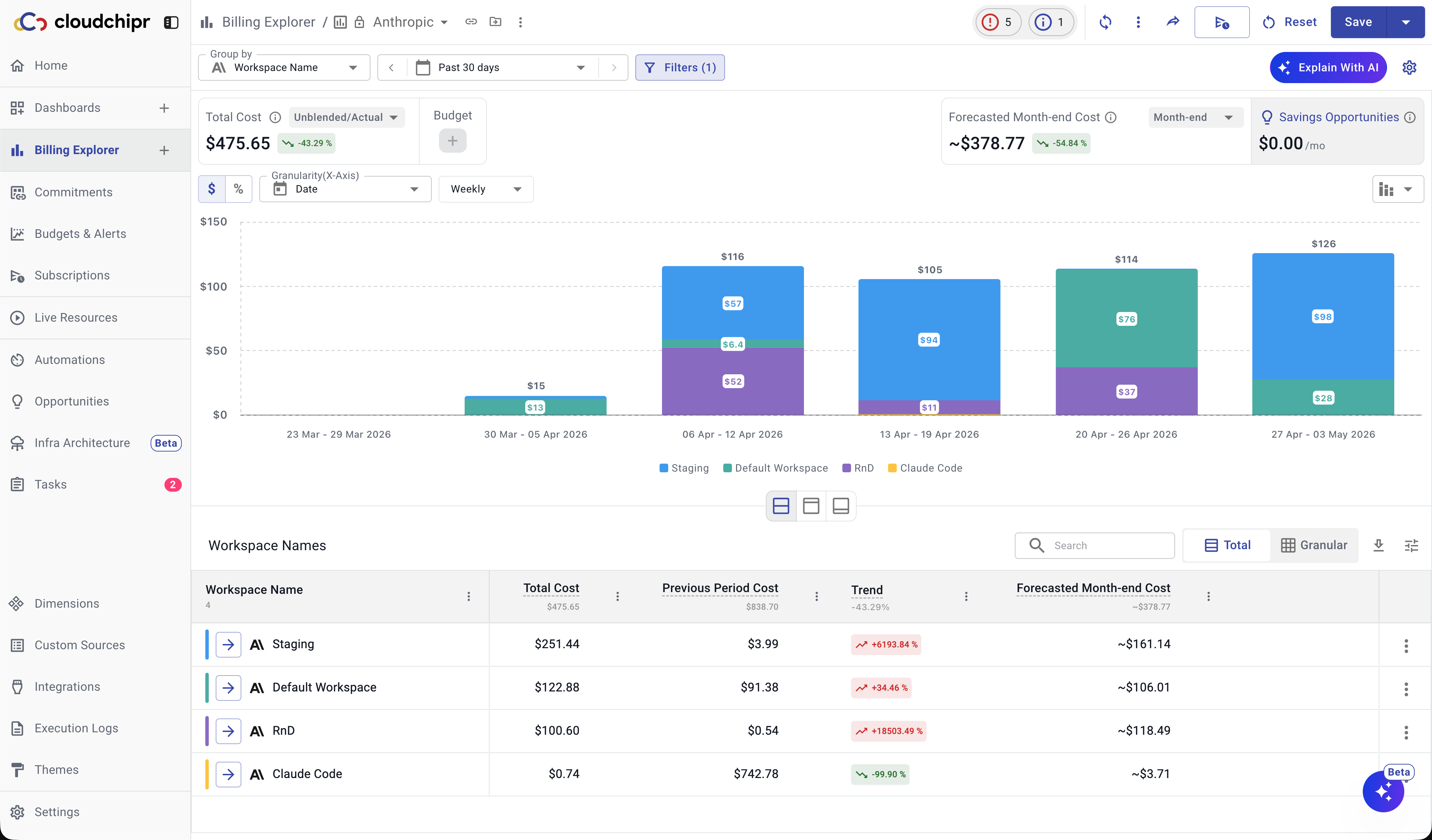
You can connect your Anthropic Organization to Cloudchipr to track and analyze your costs in Billing Explorer. Once connected, you can group and view costs by dimensions such as:
- Account
- Workspace ID
- Workspace Name
- Model
- Interface Geo
- Cost Type
- API Key ID
- API Key Name
- Service Tier
- Context Window
Connect Anthropic
To connect Anthropic, follow these steps:
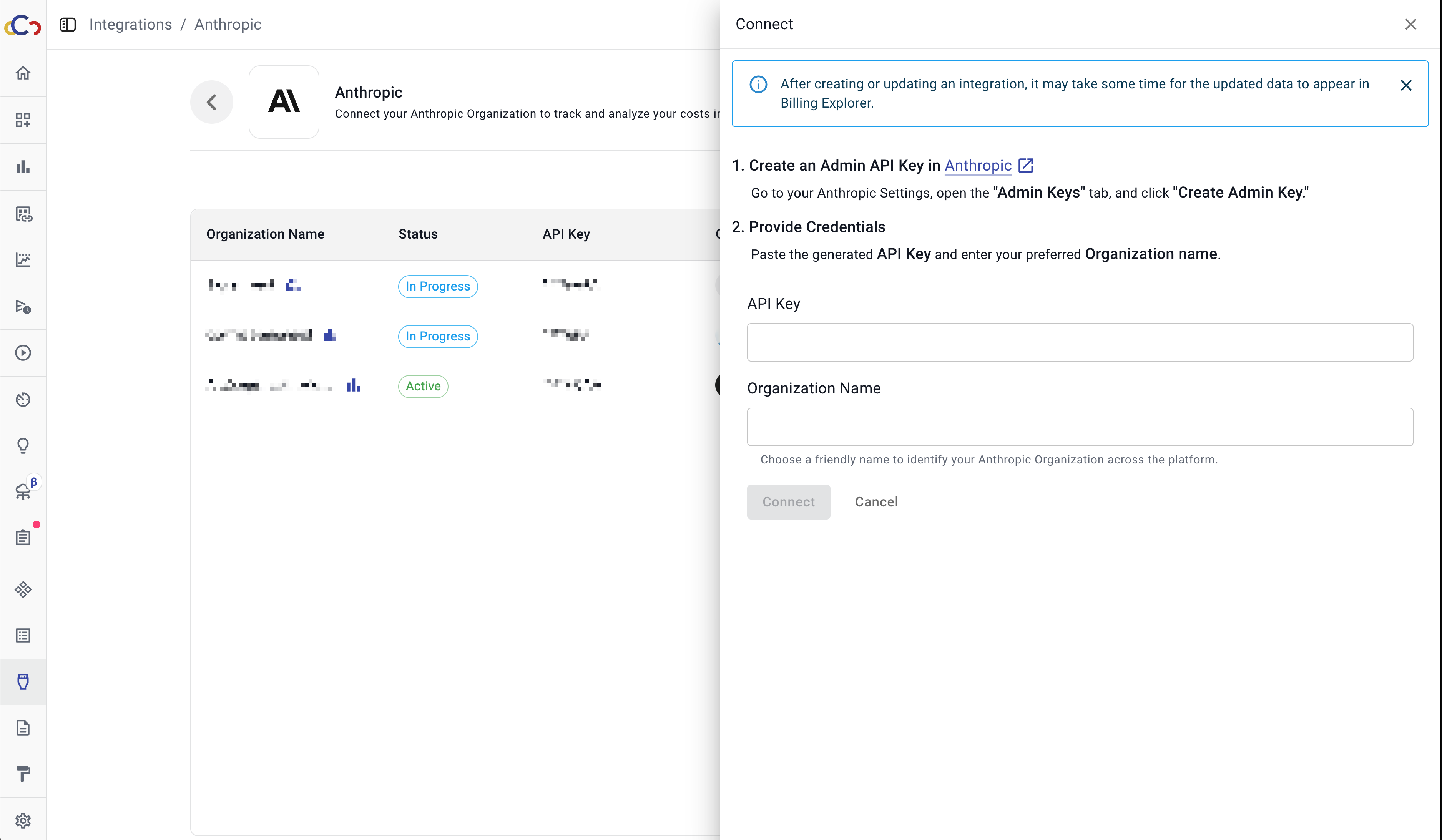
- Create an Admin API Key in Anthropic
- Go to your Anthropic Settings.
- Open the Admin Keys tab.
- Click Create Admin Key.
- Provide Credentials
- Paste the generated API Key into the API Key field in Cloudchipr.
- Enter a preferred Organization Name.
- This is a friendly label used to identify your Anthropic Organization across the platform.
- Click Connect
After data collection is complete, you will be able to view and analyze your Anthropic costs in Billing Explorer.
Updated 6 months ago
Did this page help you?